Moving a Home Office in Hot Springs: Protecting Equipment and Minimizing Downtime
Moving a Home Office in Hot Springs: Protecting Equipment and Minimizing Downtime
Working from home has become standard for professionals across industries, turning spare bedrooms, converted garages, and dedicated office spaces into essential work environments. When it's time to move, your home office presents challenges that living room furniture doesn't—expensive electronics, important work files, specialized equipment, and the critical need to minimize downtime.
You can't afford to be offline for a week while you search through boxes for your laptop charger or wait for internet installation. Your clients, employer, or business operations depend on you being functional. That printer, those monitors, the ergonomic chair you finally got adjusted perfectly, and the network equipment keeping you connected all need to arrive at your new Hot Springs location intact and get set up quickly.
Moving a home office successfully means protecting valuable equipment from damage during transport while planning the transition to minimize how long you're unable to work. Whether you're moving across Hot Springs or relocating from another city, understanding the specific requirements of home office moves prevents costly equipment damage and expensive downtime.
Here's how to actually move a home office without losing critical work time or breaking essential equipment.
Inventory and Assessment Before Packing
Start by understanding exactly what you're moving and what requires special handling.
Equipment Inventory
List all office equipment: computers, monitors, printers, scanners, external hard drives, networking equipment, phones, keyboards, mice, webcams, speakers, microphones, and any specialized equipment specific to your work.
Include serial numbers and values for insurance purposes. Photograph equipment from multiple angles documenting condition before the move.
This inventory serves multiple purposes—insurance documentation, packing checklist, and verification that everything arrives at your new location.
Cable and Accessory Documentation
Home offices accumulate cables, adapters, chargers, and accessories that all look similar but serve specific purposes. Before disconnecting anything, photograph how equipment is connected.
Take photos of the back of computers showing how cables connect. Label cables with tape indicating what they're for—"monitor 1," "external drive," "printer power."
This prevents the frustrating situation of staring at a pile of black cables at your new office unable to remember which goes where.
Original Packaging Assessment
Original boxes with custom foam inserts provide the best protection for electronics during moves. If you've saved boxes for monitors, computers, printers, or other equipment, use them.
If original packaging is gone, you need appropriate alternatives. Electronics packed in random boxes with minimal padding often arrive damaged.
Data Backup Verification
Before moving any computer equipment, verify you have current backups of all critical data. Cloud storage, external hard drives, or both provide redundancy.
Equipment can be replaced. Data often can't. Ensure nothing irreplaceable exists only on devices being moved.
Protecting Electronics During the Move
Electronics are fragile, expensive, and essential to your work. Proper packing prevents damage that could cost thousands in replacements or repairs.
Computer and Monitor Packing
Desktop computers should be packed in original boxes if available. Without original packaging, use sturdy boxes with ample padding on all sides—bubble wrap, packing paper, or foam.
Remove any loose components inside computers before moving. Hard drives, graphics cards, and other internal components can shift and suffer damage during transport.
Monitors are particularly fragile. Screens crack easily under pressure. Pack monitors in boxes with significant cushioning, especially protecting the screen. Never lay other items on top of monitor boxes.
Laptops should travel in padded laptop bags or cases, ideally transported in your personal vehicle rather than the moving truck. If they must go in the truck, pack them in boxes with substantial padding and clearly mark boxes as fragile.
Printers and Office Equipment
Remove toner cartridges and ink from printers before moving. These can leak during transport and damage printer internals or other belongings nearby.
Secure any moving parts—printer trays, scanner lids—with tape to prevent shifting that could break mechanisms.
Wrap printers in bubble wrap or moving blankets and pack in appropriately sized boxes with padding.
Networking Equipment
Routers, modems, network switches, and related equipment are smaller but still fragile. Pack in boxes with padding, keeping related equipment together.
Consider taking networking equipment in your personal vehicle if possible. Getting internet operational quickly at your new location is critical for work resumption, and having your equipment immediately available facilitates this.
Cables and Accessories
Place all cables, adapters, and accessories for each piece of equipment in labeled bags. Keep these bags with or attached to the corresponding equipment.
Alternatively, pack all cables and accessories in one clearly labeled box that you transport personally or mark as essential for immediate unpacking.
External Storage Drives
Hard drives are sensitive to shock and magnetic fields. Pack external drives carefully with significant padding. Transport portable drives with important data in your personal vehicle for maximum control.
Minimizing Work Downtime During the Move
Protecting equipment matters, but so does getting operational quickly at your new location.
Pre-Move Work Planning
Notify clients, colleagues, or your employer about your moving dates and potential limited availability. Set realistic expectations about response times during the transition.
Complete time-sensitive projects before moving day if possible. Schedule the move during your slowest work period if you have any flexibility.
Some remote workers take vacation days around moves to eliminate work pressure during the transition. This removes the stress of trying to work while also managing a move.
Internet Setup Priority
Contact internet service providers for your new Hot Springs location weeks before moving. Schedule installation for the earliest possible date—ideally before you move in, or the day you arrive.
Internet installation delays are common and can leave you offline for days or weeks. Get in the installation queue early.
If your work absolutely can't tolerate any downtime, arrange backup internet—mobile hotspot, nearby coworking space membership, or coffee shop with reliable wifi—to bridge any gaps.
Setting Up Your Office First
When movers arrive at your new location, direct them to set up your office space first, before other rooms. Getting your work environment functional takes priority if you need to resume working quickly.
Have a plan for where everything goes so movers can position furniture and you can start connecting equipment immediately rather than rearranging later.
Essential Box Strategy
Pack one box with everything you need to get minimally operational—laptop, chargers, mouse, essential cables, login information, and any critical documents. Transport this box personally and unpack it first.
This "get working" box allows you to be functional even if other office items remain unpacked for days.
Special Considerations for Different Work Setups
Home offices vary significantly based on profession and work requirements.
Multi-Monitor Setups
Multiple monitors mean multiple fragile screens to protect and multiple cables to track. Pack monitors individually with ample protection.
Label monitors (1, 2, 3) and their corresponding cables so reassembly happens in the correct configuration.
Photograph your desk setup before disassembling to reference when rebuilding your workspace.
Creative Professional Equipment
Graphic designers, photographers, videographers, and creative professionals often have specialized equipment—tablets, calibrated monitors, photography lighting, audio recording setups.
These items require extra care. Pack carefully, transport valuable items personally when possible, and handle calibrated equipment with particular attention to protecting settings and condition.
Medical or Technical Equipment
Some home-based professionals use specialized medical, scientific, or technical equipment for their work. These items may require specific packing methods, climate control during transport, or professional installation at the new location.
Consult equipment manuals for moving recommendations. Some equipment may need professional deinstallation and reinstallation rather than standard moving approaches.
Large Format Printers or Specialized Devices
Equipment like large format printers, plotting devices, or industrial-grade equipment requires professional moving expertise. These aren't items for standard household moving crews without specific training.
Discuss specialized equipment with moving companies during estimates. They need to know what they're dealing with and may need to bring specific equipment or expertise.
Server and Networking Closets
Home offices with dedicated server equipment, rack-mounted networking gear, or complex technical setups need systematic dismantling and documentation.
Label every cable, photograph configurations, and create diagrams showing how systems connect. Professional IT assistance might be worth the cost for complex setups.
Office Furniture Considerations
Desks, chairs, shelving, and filing cabinets need attention beyond standard furniture moving.
Desk Disassembly
Many office desks require partial disassembly for moving. Remove drawers, detach hutches or shelving units, and separate desk sections if applicable.
Secure hardware in labeled bags and tape them to furniture pieces they belong with. Finding the right screws for desk reassembly in a box of mixed hardware wastes time.
Ergonomic Chairs
Quality office chairs are expensive and specifically adjusted to your body. Protect them during moves to avoid needing to replace comfortable, properly configured seating.
Remove wheels if possible to prevent rolling during transport. Protect hydraulic mechanisms and adjustment levers that could be damaged.
Filing Cabinets
Remove files from cabinets before moving if possible, or at minimum remove heavy top drawers to reduce weight and prevent shifting during transport.
Secure drawers with tape or plastic wrap so they don't slide open during moving, which could damage the cabinet or injure movers.
File cabinets are heavy. Multiple trips with partial loads are safer than attempting to move fully loaded cabinets.
Bookcases and Shelving
Remove all items from shelving before moving. Loaded bookcases are too heavy to move safely and shift during transport, damaging both contents and shelving.
Disassemble modular shelving systems and pack components carefully. Label shelves and support pieces so reassembly matches your original configuration.
Document and File Management
Paper files, important documents, and business records require secure handling.
Critical Document Transport
Important business documents, contracts, financial records, and anything irreplaceable should travel with you personally, not in the moving truck.
Pack these in secure boxes or file containers that remain in your possession throughout the move.
Confidential Information Security
If you handle confidential client information, protected health information, or other sensitive data, ensure moving and storage methods comply with relevant regulations—HIPAA, data privacy laws, etc.
Some professionals need to arrange specialized secure moving services for certain documents rather than standard household moving.
Digital Transition
Moving is an opportunity to digitize paper files you've been meaning to scan. Consider whether moving boxes of old files makes sense versus scanning important documents and securely destroying originals.
This reduces volume you're moving and creates more accessible, backed-up records.
Tax Deductions and Business Expenses
Home office moves may qualify for tax deductions as business expenses in certain situations.
Deductible Moving Expenses
Tax laws change, but moving expenses related to business operations may be deductible. Consult with accountants or tax professionals about your specific situation.
Keep detailed records of moving expenses—receipts, invoices, mileage—that might qualify as business deductions.
Home Office Setup Costs
Equipment upgrades, furniture purchases, or improvements needed to set up your home office at the new location might qualify as business expenses separate from moving costs.
Again, professional tax advice is essential. Don't assume expenses are deductible without verification, but also don't miss legitimate deductions by failing to track costs.
Working With Movers on Office Equipment
Professional movers can handle office equipment safely if you communicate effectively.
Identify Office Equipment Clearly
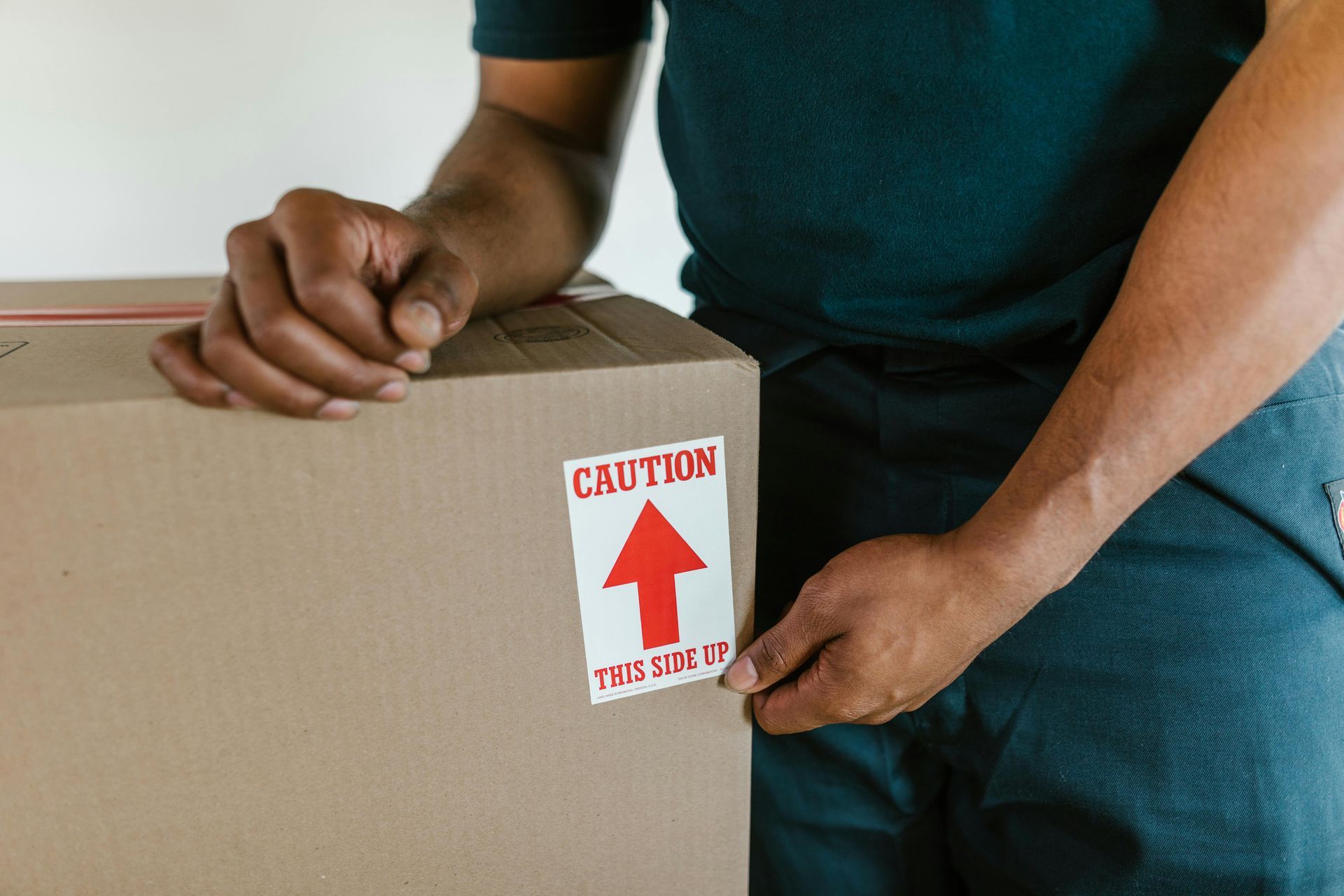
Mark boxes containing office equipment clearly—"HOME OFFICE - FRAGILE" or "WORK COMPUTER - HANDLE WITH CARE."
Communicate with movers about which items are particularly valuable or require careful handling.
Consider Packing Electronics Yourself
Some people prefer packing their own electronics rather than trusting movers with expensive equipment. This is reasonable if you have appropriate packing materials and knowledge.
However, professional movers have experience and materials specifically designed for electronics. If you're uncomfortable packing equipment yourself, communicate its value and movers will exercise appropriate care.
Insurance for High-Value Equipment
Standard moving insurance covers minimal amounts based on weight, not replacement value. If you have several thousand dollars of computer equipment, ensure you have adequate insurance coverage.
Discuss additional insurance options with moving companies for high-value items, or verify your homeowner's or business insurance covers equipment during moves.
Frequently Asked Questions
Should I move my desktop computer myself or let movers handle it?
This depends on the computer's value and your comfort level. High-end workstations or custom-built computers with expensive components are often worth transporting personally in your vehicle with careful padding. Standard desktops can be moved by professionals if properly packed. Remove any loose internal components, back up all data regardless, and ensure adequate insurance coverage if movers transport it.
How long should I expect to be without internet at my new location?
Internet installation timelines in Hot Springs vary by provider and location. Some areas have service available within 24-48 hours. Others face week-long or longer waits, especially for fiber installations requiring new infrastructure. Contact providers three to four weeks before moving to schedule the earliest possible installation. Have mobile hotspot backup plans for work that can't wait.
Keep Your Business Running Through the Transition
Moving a home office successfully requires protecting expensive equipment while minimizing work disruption. With proper planning, systematic packing, and clear prioritization of getting operational quickly, you can relocate your work environment without extended downtime or equipment damage. Trinity Moving Company understands that home office equipment requires careful handling and can work with you to ensure business-critical items receive appropriate attention during your move.
Call today to discuss your home office moving needs and how we can help protect your equipment and minimize work interruption.